Inbox and Library
Everything across your workspaces that needs you, and everything your workspaces have made.
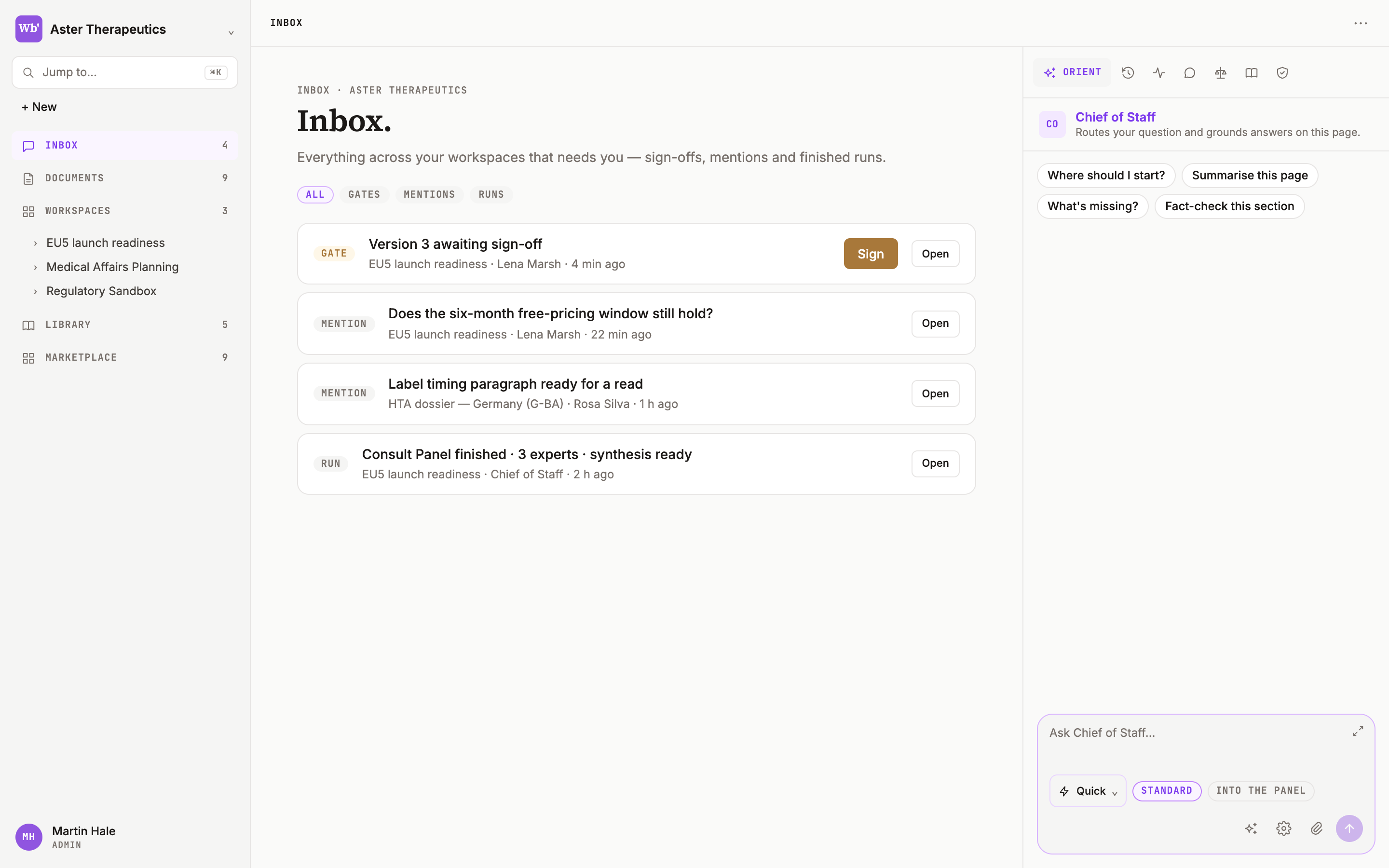
Inbox
Everything across your workspaces that needs you — sign-offs, mentions, reviews and finished runs, triaged. Tabs ALL · GATES · MENTIONS · REVIEWS · RUNS; counters AWAITING YOU · GATES · MENTIONS · REVIEWS. Rows show a type pill, the title, the workspace, the age and Open; GATE rows have inline Approve / Send back. When it's empty: Inbox zero — you're all caught up.
The Chief of Staff on the Inbox triages what needs your attention and drafts replies.
Library
Per workspace: Search the library — work products, knowledge, templates, sources… Tabs ALL · WORK PRODUCTS · KNOWLEDGE · TEMPLATES · PINNED · COLLECTIONS. Exports land under Work products; knowledge you add lands under Knowledge; the templates you save from a page under Templates.
Jump to
⌘K anywhere in the workbench opens the command palette — workspaces, pages and marketplace in one search.