Add your team
Members join a workspace as editors; the owner grants access. Add a colleague from workspace settings and watch it land in the ledger.
Tenant, teamspace, workspace
Your company is a tenant (for example Aster Therapeutics). Inside it, teamspaces group people; workspaces hold the work. A person can be in the tenant without being in your workspace — the owner decides who gets in.
Add a member
- Open the workspace home and click Settings in the top bar.
- Under Members, click + Add member.
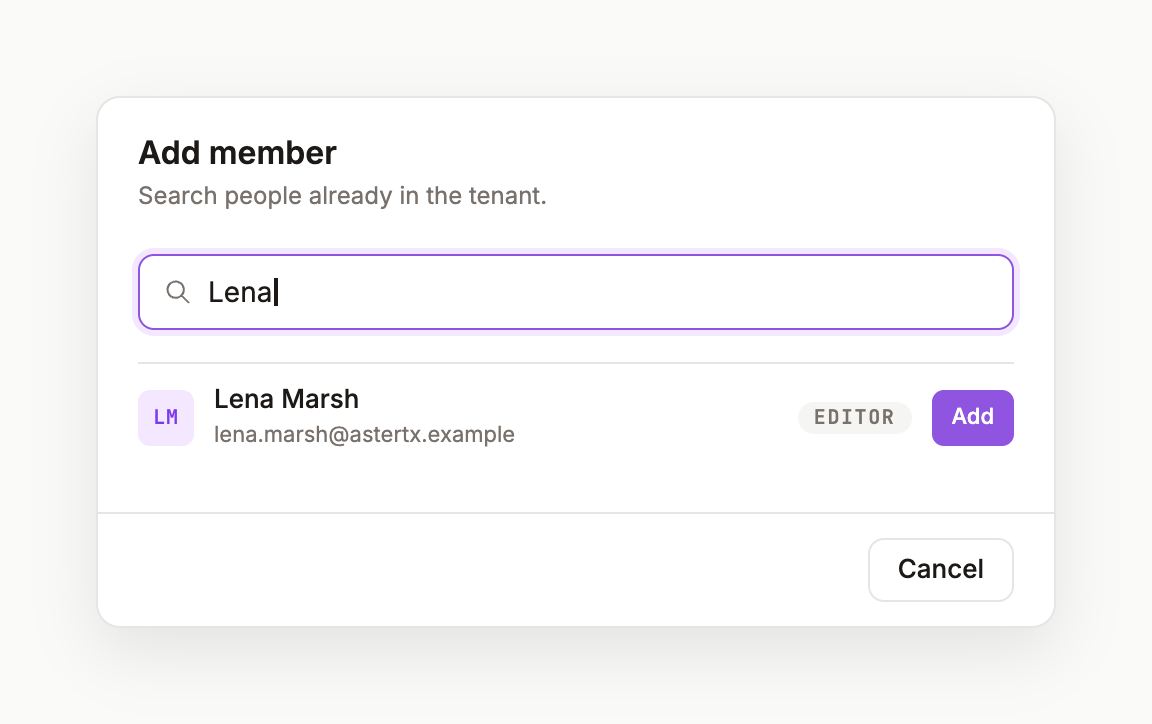
- Search the tenant — type a few letters of a name — and pick the person.
- Click Add. They join as Member, which allows editing.
- Click Back to workspace: the Members list shows them, and Activity shows
member added.
Roles
OWNER grants access and changes settings. MEMBER edits pages, asks, consults and comments. Roles are shown on the workspace home and in every ledger row.
Domain memory
Workspace settings also has a Domain memory card: share evidence, framings and in-flight topics with the workspace, while preferences, corrections and project context stay personal. The toggle is available on Team plans. See Members and access.
Was this page useful?