Create a workspace
A workspace is where a launch lives — its pages, members, deliverables and activity ledger. Here is how to make one and what its home page shows.
Make one
- In the sidebar, click the + beside
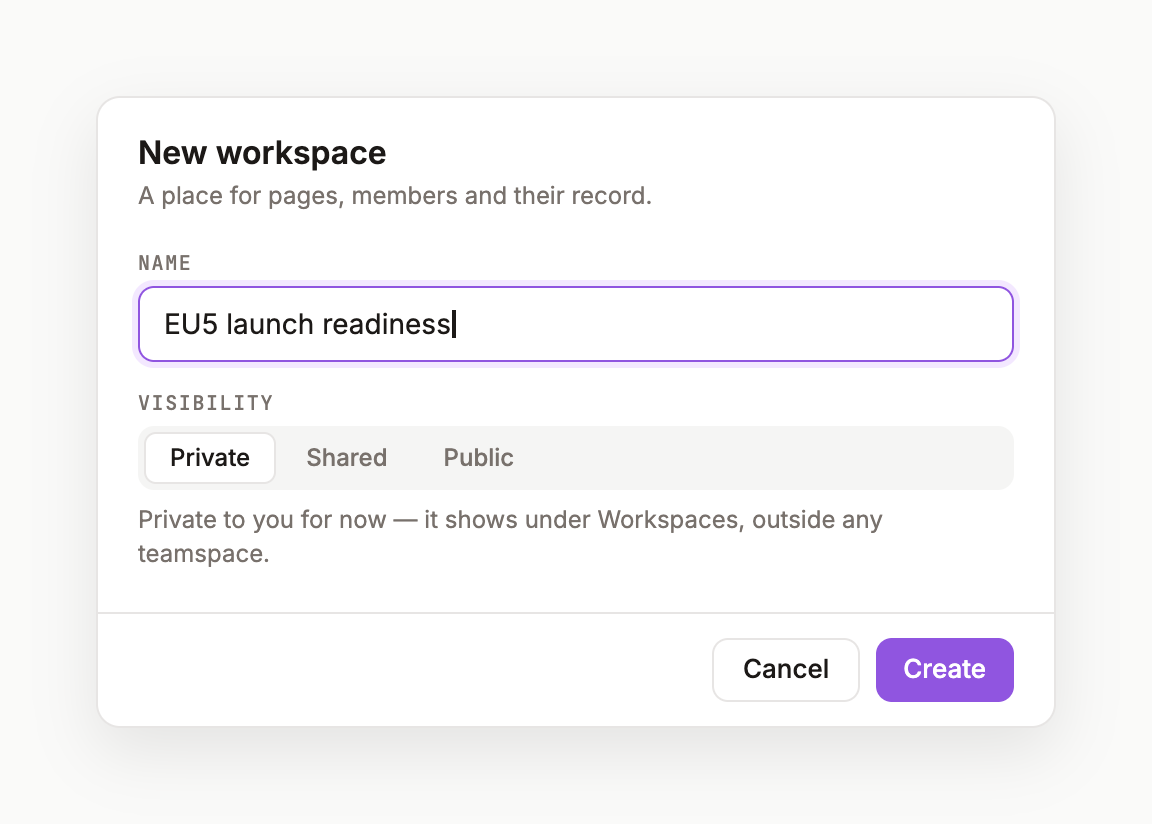
WORKSPACES— or use the + New row and pick Workspace. - In the New workspace dialog, type a name. Name it after the work, not the team: Oncology Launch EU5, HTA dossier — Germany, Advisory board prep.
- Click Create. You'll see the toast Workspace created, the sidebar count ticks up, and you land on the workspace home.
The workspace home
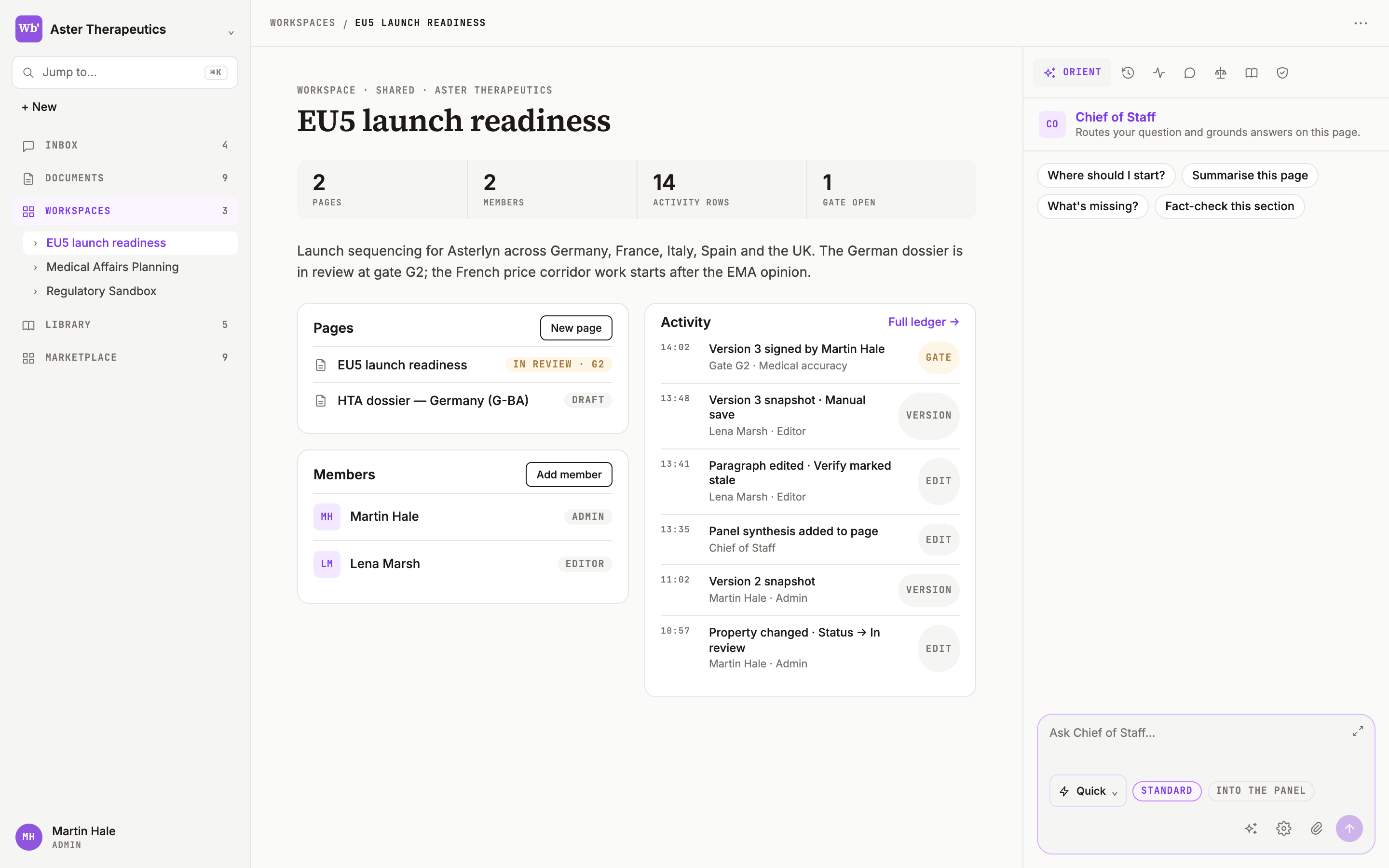
The eyebrow reads WORKSPACE · PRIVATE · <intent>; the title is the name you gave it. Below:
- Stat strip —
OWNER · PAGES · DRAFTS. - Chief of Staff · Digest — a short summary of the workspace's pages once there are some.
- Deliverables — pages composed as deliverables, and anything opened from this workspace.
- Pages — tabs Knowledge and All assets; each row shows the page icon, title,
DOCand age. - Members — avatar, name,
OWNERorMEMBER, and Manage. - Activity — page creates, knowledge additions and member changes, as an audit trail.
Private, shared, public
A new workspace is private — the owner grants access, and teamspace membership does not open it. You can change Visibility in Workspace settings to Shared — nested in a teamspace or Public — visible to the tenant.
Next
Start a page from the top bar: Your first page.
Was this page useful?