Comments and mentions
Select text, comment, @mention a colleague. Threads live in the Comments tab and in the other person's Inbox.
Add a comment
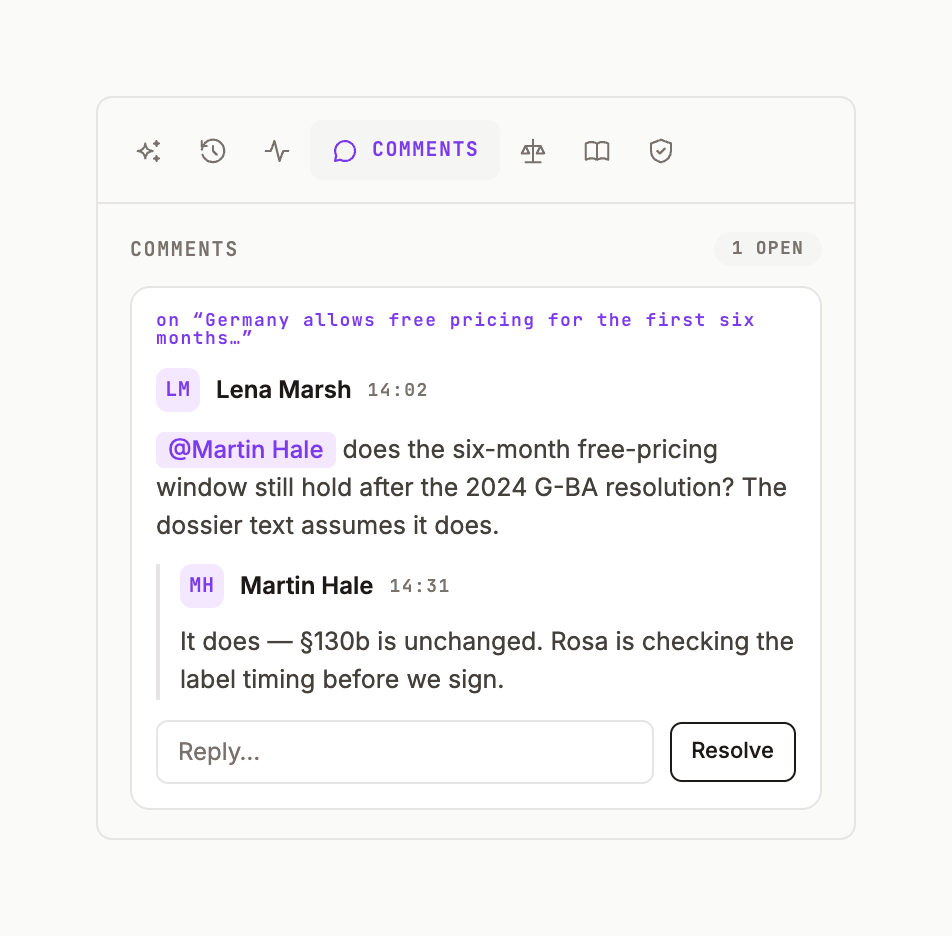
Select a line, click the comment icon in the hover pill, write, and post. The comment rail on the page's right edge shows the count; the Comments tab lists every open thread with Reply.
Mention someone
Type @ and pick a member — the chip is violet. They get a MENTION row in their Inbox with Open. Type @assign name to make it a task for them.
Mention an agent
@ also lists agents on your roster. A mentioned agent joins the thread and answers there, on the page's context.
Clean-up
Clear leftover comments in the Comments tab removes threads whose text no longer exists on the page.
Was this page useful?