The / menu
Type / anywhere on the page. Insert blocks, or run the AI actions — Edit, Generate, Review — from one menu.
Open it
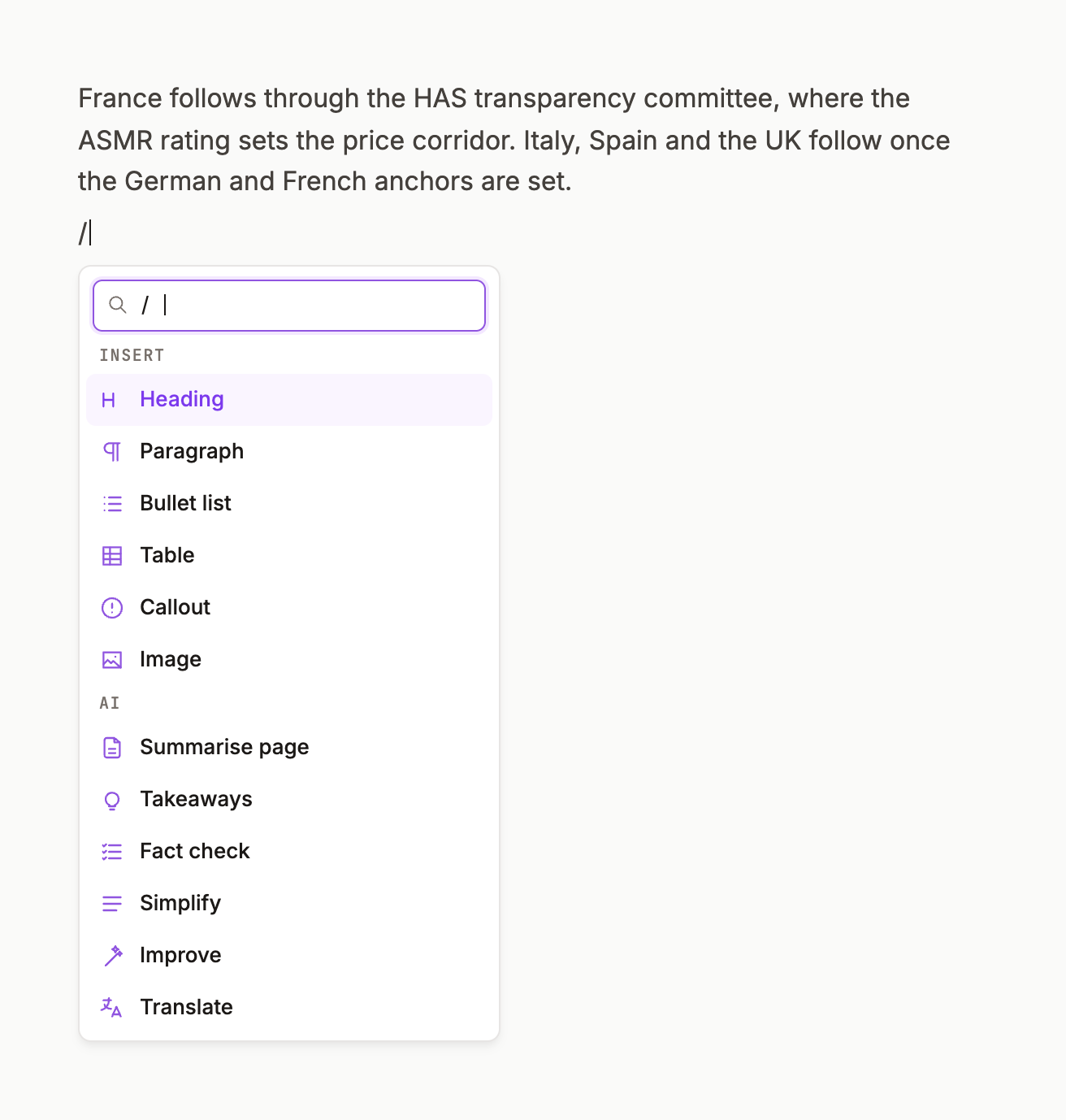
Put the cursor in a block and type /. The menu opens under the caret with two groups:
INSERT — Text & blocks › · Headings › · Media › · Table · Emoji AI — Edit › · Generate › · Review ›
Arrow keys move, Enter picks, Esc closes; keep typing to filter (/h2, /take).
The cascades
- Text & blocks — Quote · Toggle list · Numbered · Bullet · Check list · Paragraph · Code · Divider · Lede · Reference · Callout
- Headings — Heading 1–5, Toggle heading 1–3
- Media — Image · Video · Audio · File · Mermaid diagram · Math / Equation · 2 columns · 3 columns
- Edit — Improve · Simplify · Shorten · Lengthen · Continue · Fix grammar · Translate · Develop
- Generate — Summarize page · Takeaways · Next steps · Ask page · Explain · FAQ · Synthesize themes · Diagram · Checklist / SOP · Define metrics · Tabulate
- Review — Restructure · Translate (pharma) · Fact check
GROUNDED· Check citationsGROUNDED· Regulatory tighten · Fair balance disclaimer
GROUNDED marks the actions that retrieve before they write.
The AI button
The violet sparkle bottom-right opens the same actions as a panel with an ask field — Ask VITAL to draft, analyze, or pull evidence… — grouped EDIT · GENERATE · REVIEW · DELIVERABLE. Use it when you'd rather not be in a block.
@mentions
Type @ for Pages, Members and Agents. A mentioned member is notified in their Inbox; a mentioned agent is invited into the thread. Comments and mentions.