Sources and citations
The [n] chips, the Sources tab, and how a claim stays attached to what it came from.
Chips
Every sourced claim an agent writes carries a [n] chip. Hover it for the title and domain; click it to open the Sources tab on that source.
The Sources tab
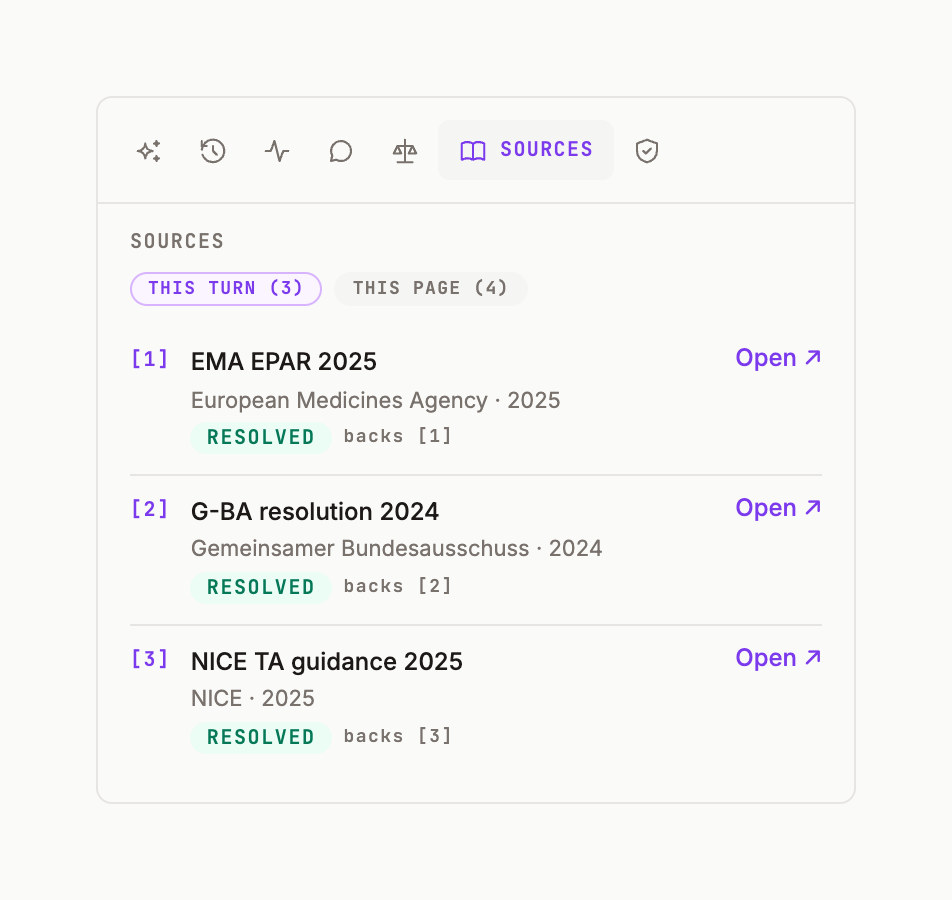
Tabs THIS TURN (n) and THIS PAGE (n); sections REFERENCES and CLAIMS. A row shows the title, the domain, a grade, and resolved when the link has been checked. The page's Reference block (from the / menu) renders the same list inside the document for readers who won't see the panel.
Knowledge bases behind the sources
Retrievers draw on the knowledge bases selected in Orient settings — the KN-* domain libraries (regulatory EMA/FDA, HTA decisions, HEOR & RWE, safety & PV, clinical trials…). A narrower selection gives fewer, closer sources. Orient settings.
Check citations
The / menu's Review › Check citations re-resolves every chip on the page and flags the ones that no longer say what the text claims. Edit · Generate · Review.