Workspaces · 2 of 5 · 1 min
Who can see a workspace
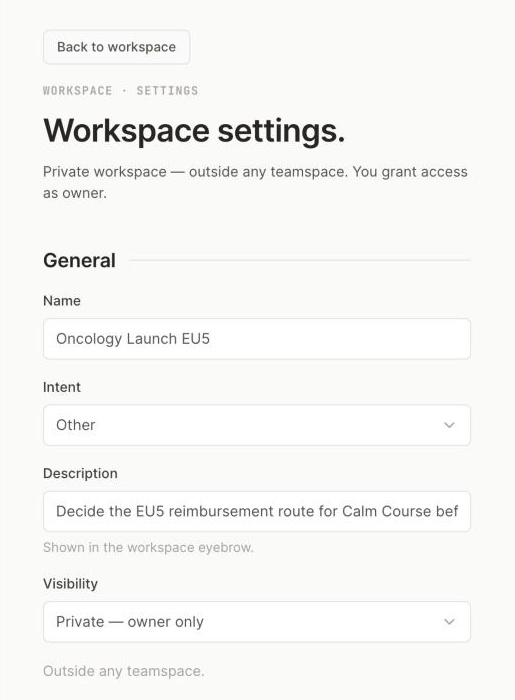
1 Visibility: who can find the workspace.2 Description: shown in the workspace eyebrow.
| Visibility | Who can find it |
|---|---|
| Private | Only people the owner adds |
| Shared | People in a teamspace of your organisation; you still add members yourself |
| Public | Everyone in your organisation |
Visibility decides who can find a workspace, not who can edit it. You add people under Members. Public means visible inside your organisation, never to other companies. Change visibility in Workspace settings, then Save.
Updated October 2026 · Not finding it? Reply to any of our emails