Ask AI on the page · 1 of 4 · 1 min
Four ways to open Ask AI
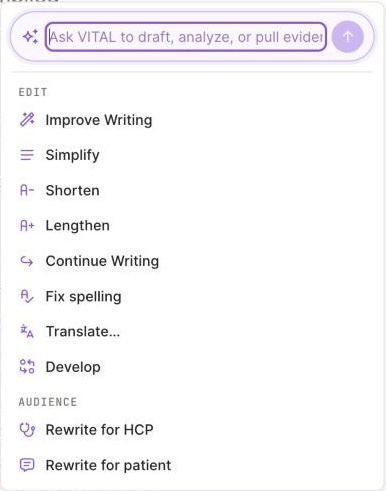
1 Ask VITAL to draft, analyse or pull evidence.2 Edit actions are everyday writing, included.
| How to open it | Use it for |
|---|---|
| Type / | The whole page, or a new block |
| The purple AI button | A free question, or the full list of actions |
| Select text, then the sparkle | The passage you selected |
| The ⠿ handle next to a block | That block, or @ an expert |
The popover opens with a free field, Ask VITAL to draft, analyze, or pull evidence, then six groups of actions: Edit, Audience, Channel, Generate, Review, Deliverable. When a result is a proposal, Accept or Reject it. Actions marked Grounded use sources.
Ask AI is different from your Chief of Staff: Ask AI acts on your text; your Chief of Staff is a conversation.
Updated October 2026 · Not finding it? Reply to any of our emails