Your first page
Start from the question, not the blank page.
Have one real question in your own words. One page, one question.
Inside your workspace, click + New work, then Page.
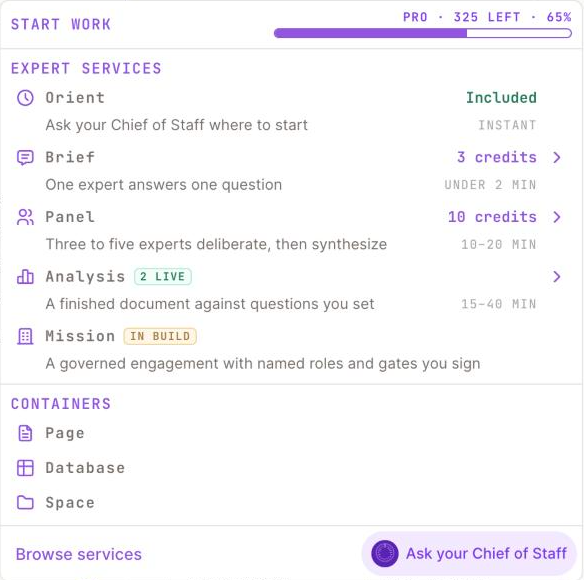
1 Page: a blank page in this workspace.2 Orient is included.3 Brief: one expert, one question.4 Panel: three to five experts deliberate.5 Analysis: a finished document against your questions.
Screenshot 3 · New work, then PageOpen this screen → Give it a title that is the question itself.
Open the right panel (the floating button at the bottom right) and type your question in "Ask Chief of Staff, or @ an expert…".
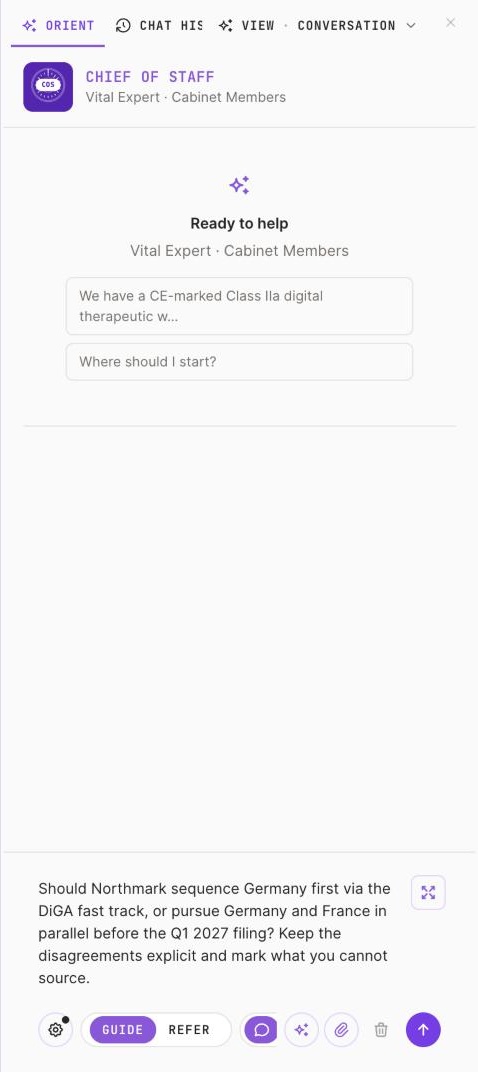
1 Type your question in your own words.2 Send; Orient is included.
Screenshot 4 · The right panel composerOpen this screen → Read the answer: every claim carries its source, every gap is marked.
Click Add to page to carry the answer onto the canvas, then write your framing above it.
A page with your title, the answer with its references, and the Sources tab filled.
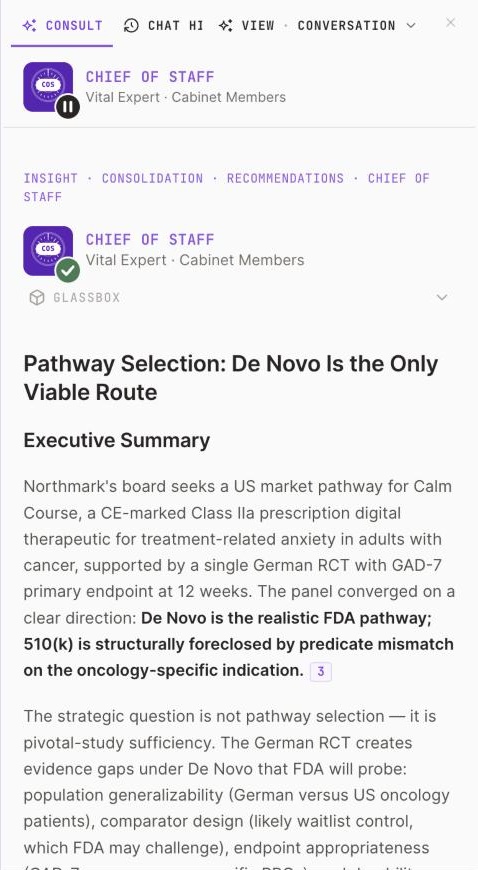
1 A reference marker: hover it to see the source.2 Who answered.
If the panel is empty, click the floating button again. If the answer has no sources, ask it to cite them.
Hire the expert the Chief of Staff pointed you to.