Choose an expert
Hire the right rung: one expert, a department, or a function.
Know the question you want answered this week. The Chief of Staff's referral (Orient) tells you which function it belongs to.
Open the Marketplace from the sidebar. The bench has three tabs: Single, Department, Function.
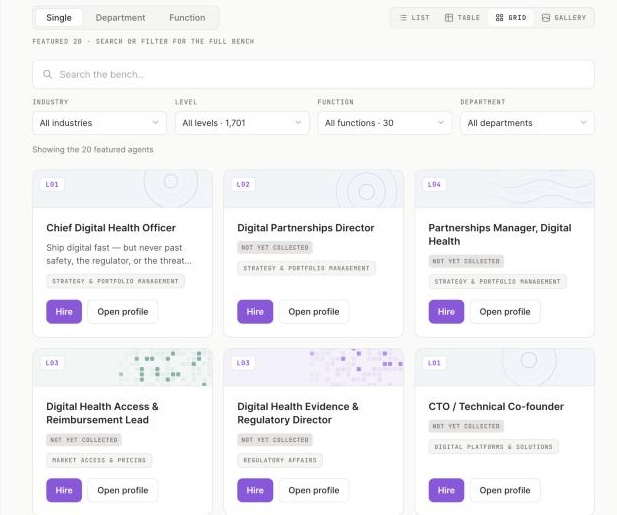
1 Single, Department, Function: one expert, a department, or a function.2 Hire costs nothing.
Screenshot 5 · The bench, three tabsOpen this screen → Single: open a profile, read "what this expert will not take on", click Hire.
Department: open the department, read the Manifest, the Lead and the Members, click Hire the department.
Function: open the function, read the Manifest and the Head, see the org chart, click Stand up the function.
Hired experts in your Library under Agents, and available with @ in any composer.
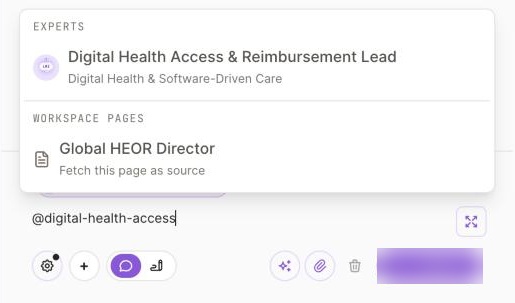
1 Type @ and the expert's name.2 The composer, with the expert attached.
If Hire shows an error, reply to any of our emails with the expert's name; we hire for you while the fix ships.
Run your first Brief with that expert.