Create your workspace
Three minutes, and everything you do afterwards has a home.
Decide what the workspace is for: a client, a product, a project. One workspace per piece of work keeps the record clean.
In the sidebar, click + next to WORKSPACES.
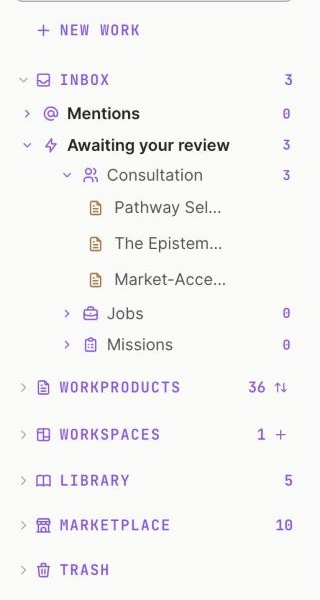
1 Click + to make a workspace.
Screenshot 1 · The sidebar, + next to WORKSPACESOpen this screen → Name it for the work, not the team. "Oncology Launch EU5" tells an expert more than "Market Access team".
In Description, write the decision this workspace exists to make, in one sentence. Your experts read it before every run.
Leave Visibility on Private unless your organisation shares by default. Click Create.
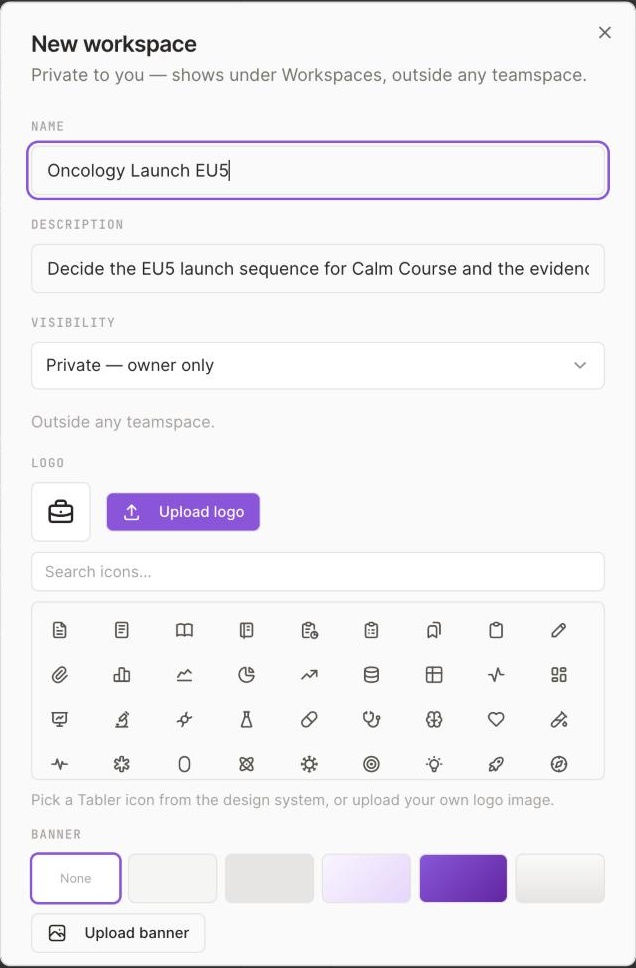
1 Name it for the work, not the team.2 One sentence: the decision this workspace exists to make.3 Private unless your organisation shares by default.
Screenshot 2 · The New workspace dialogOpen this screen →
The workspace page: you as Owner, Members 1, no pages yet, a New page button.
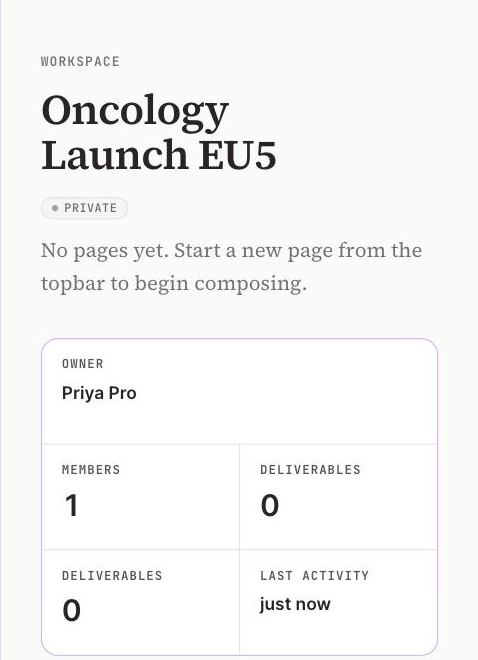
1 You are the owner.2 Members: one, until you invite.3 Deliverables appear here once you mark one.
If the dialog does not open, reload the Hub and try the + again. If the name is taken, add the year.
Add the person who will review your work: Members, then Invite.