Getting started · 4 of 4 · 1 min
Credits
You are charged when the work is completed, not when the page is created.
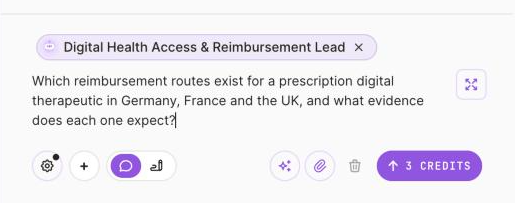
1 The price is on the Send button, before you click.
Step 1 of 2Every priced service shows its price on the button before you send.
| What you do | Priced |
|---|---|
| Ask your Chief of Staff (Guide or Refer) | Included |
| Hire an expert, a department or a function | Included |
| Everyday writing: summarize, tighten, translate, outline, explain | Included (fair use) |
| Fact check, check citations, fair balance, regulatory tighten, pharma translate | Priced |
| A quick calculation or scenario | Priced |
| Verify a page (every claim traced, every gap marked) | Priced |
| Brief | Priced |
| Panel (the same for three, four or five experts) | Priced |
| Analysis (depends on the method and the settings) | Priced |
| Anything marked In build | Never charged |
Every priced button shows its price before you press it. Anything an expert runs inside a bigger piece of work is included in that work's price. Your plan's monthly allowance is on the pricing page, and what you have used is in Settings, Cost center.
Updated October 2026 · Not finding it? Reply to any of our emails